INFINITE COLOR WHEEL
→ Start with one color to build an entire palette.
→ Guide it—calm, luxurious, bold, or precise—through AI that responds to your intent.
What is the Infinite Color Wheel?
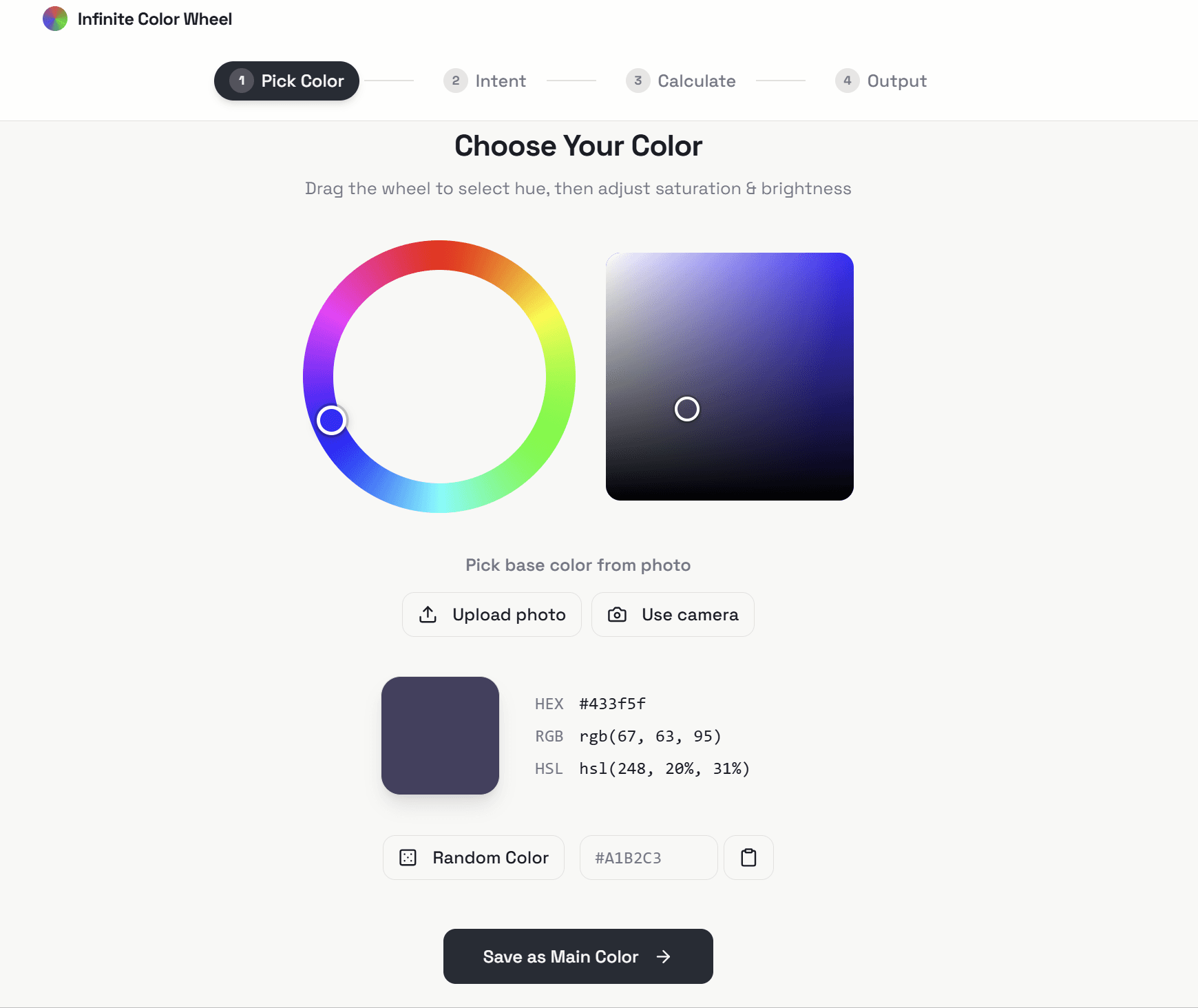
→ This is an AI-powered color calculator that generates complete palettes from a single starting color. You can either upload or take a picture or simply select the colour from the infinite wheel.
Instead of manually searching for combinations, you interact with the system—guiding it toward a specific mood, tone, or direction—and it refines the palette accordingly.
What is Intent?
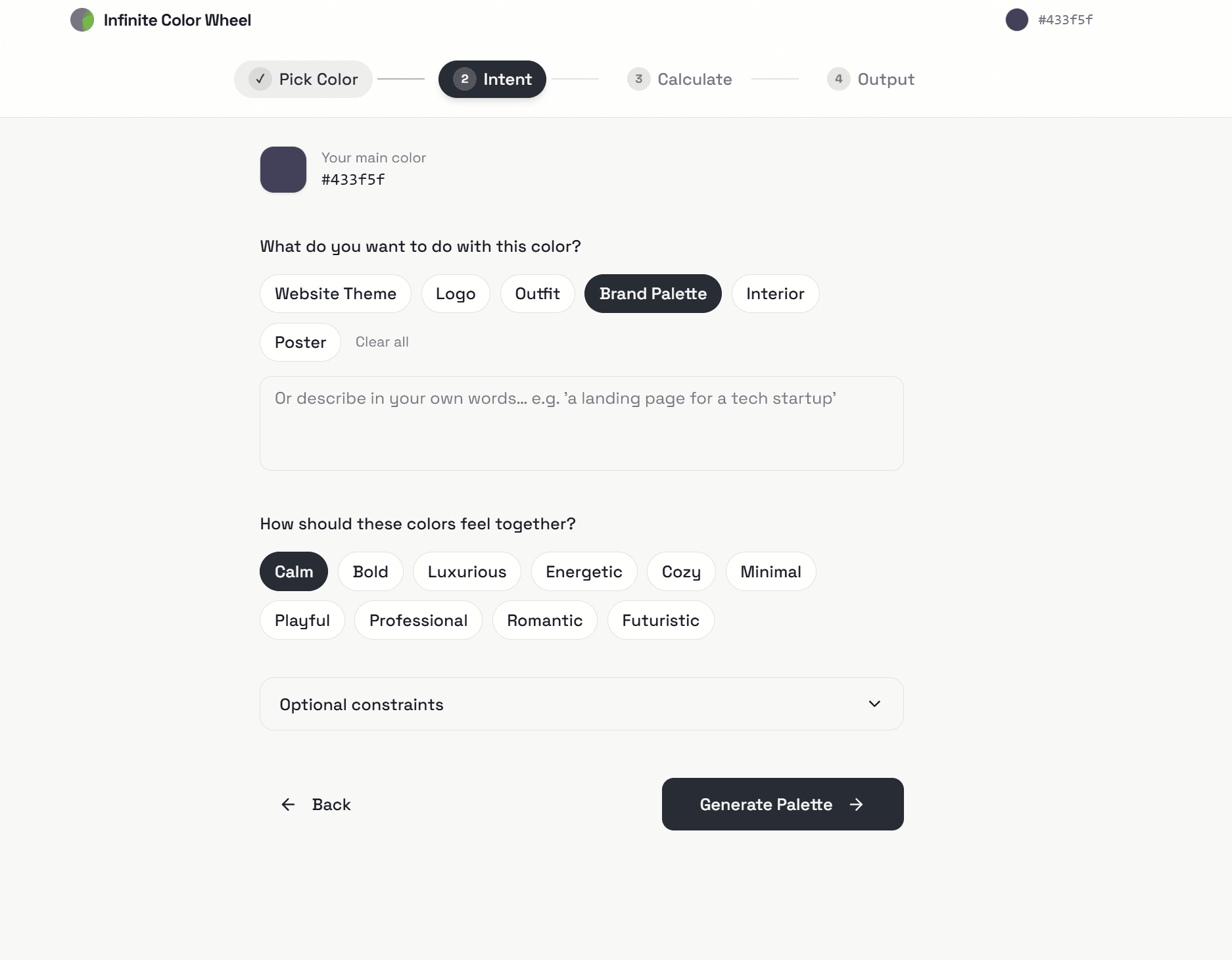
→ Intent is where you tell the system what you want the palette to look and feel like so the palette isn’t just generated, it’s directed.
Instead of accepting random combinations (which will only be mathematically correct), you guide the outcome by defining purpose and mood. Whether it’s a brand palette, outfit, interface, or space—the system adjusts the relationships between colors based on what you want it to feel like.
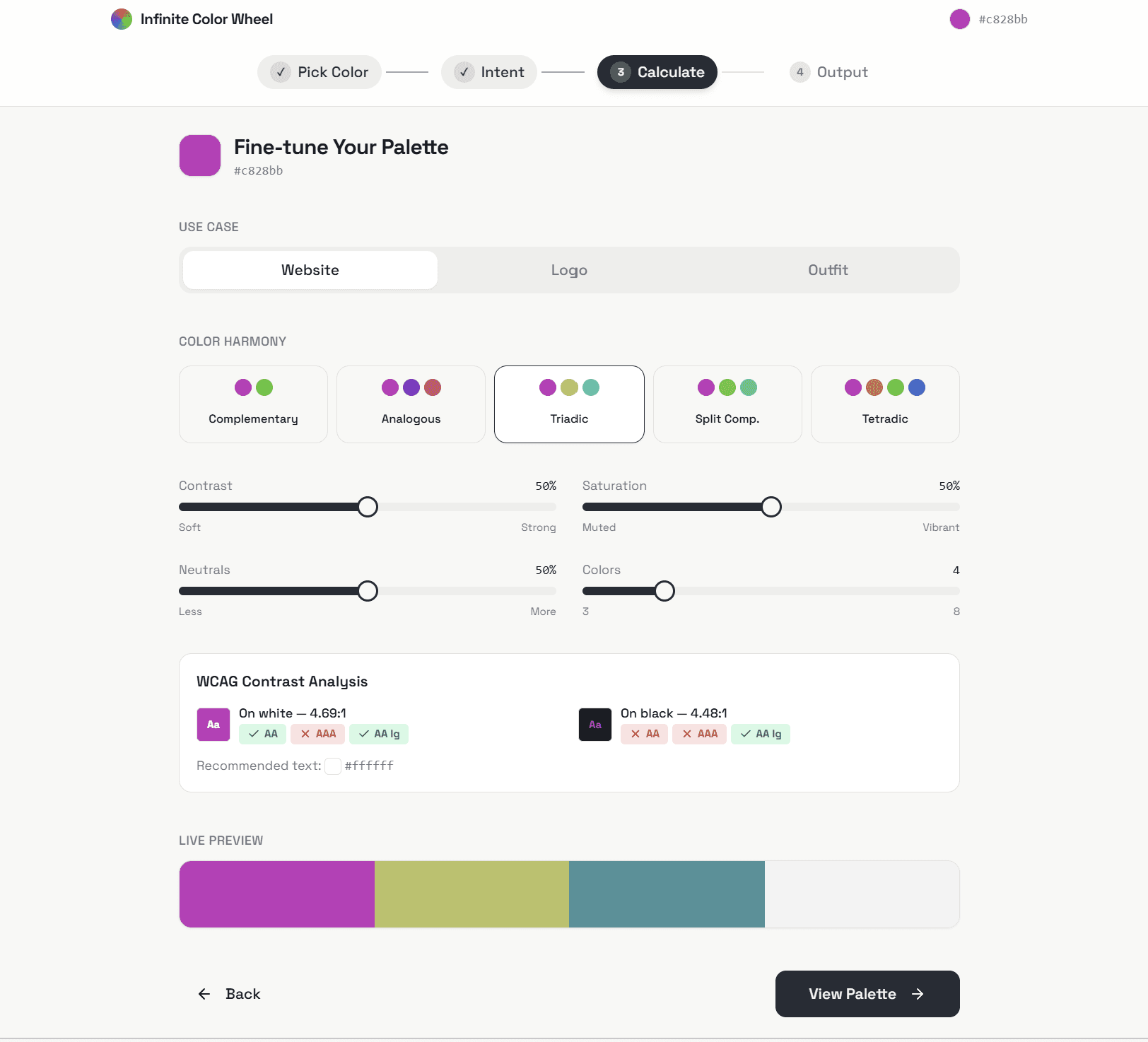
What does the calculator do?
→ This is where the palette is structured, adjusted, and made usable.
Once a base palette is generated, the live calculator gives you further control over how the colors interact. You can refine the balance, intensity, and usability before final output so you're not just accepting the results but also shaping it.
What Core controls do you have access to?
→ You can adjust:
Contrast → from soft transitions to high-impact separation
Saturation → from muted tones to vibrant color expression
Neutrals → to stabilize or simplify the palette
Number of Colors → to keep it minimal or expand it
Each adjustment updates the palette in real time, so you can see exactly how the system responds.
Color Harmony Options
→ You can choose from five color harmonies, each defining how colors relate to each other:
Complementary → high contrast, opposite colors on the wheel
Analogous → smooth closely related tones
Triadic → balanced evenly spaced colors
Split Complementary → contrast with less intensity than direct opposites
Tetradic → complex palettes with multiple contrasting pairs
Helpful Comparison
→ Complementary vs Analogous
Complementary palettes are bold and attention-grabbing—good for contrast-heavy designs.
Analogous palettes are softer and more cohesive—better for calm, unified visuals.
→ Triadic vs Tetradic
Triadic keeps balance with three evenly spaced colors.
Tetradic introduces more variety and complexity, but requires more control to keep it cohesive.
Built-in validation
→ For website build colors, the system checks accessibility (WCAG contrast ratios) so your palette works not just visually—but functionally across light and dark surfaces.
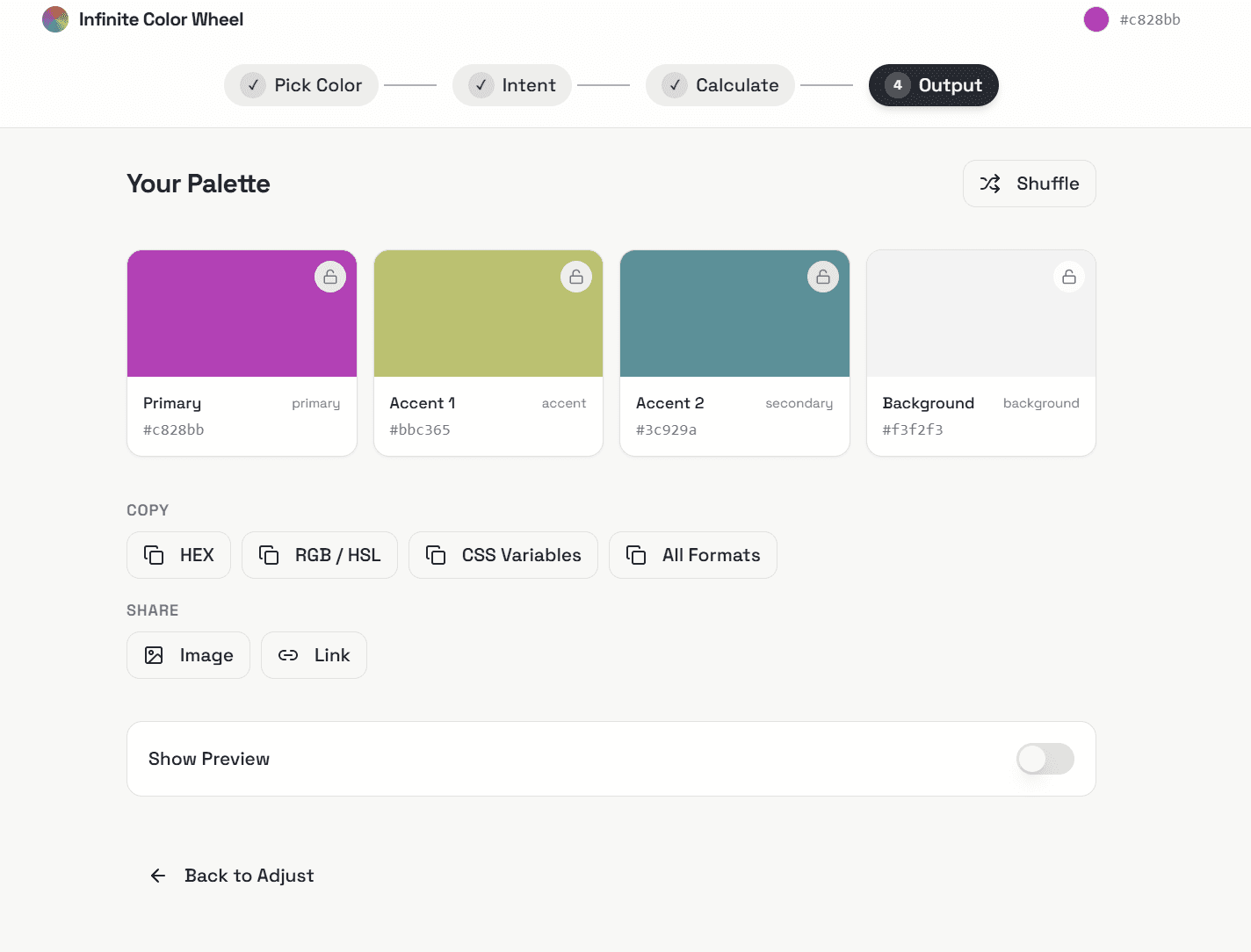
This is what you get
→ A palette that is shareable, and ready to move into design, development, or production.
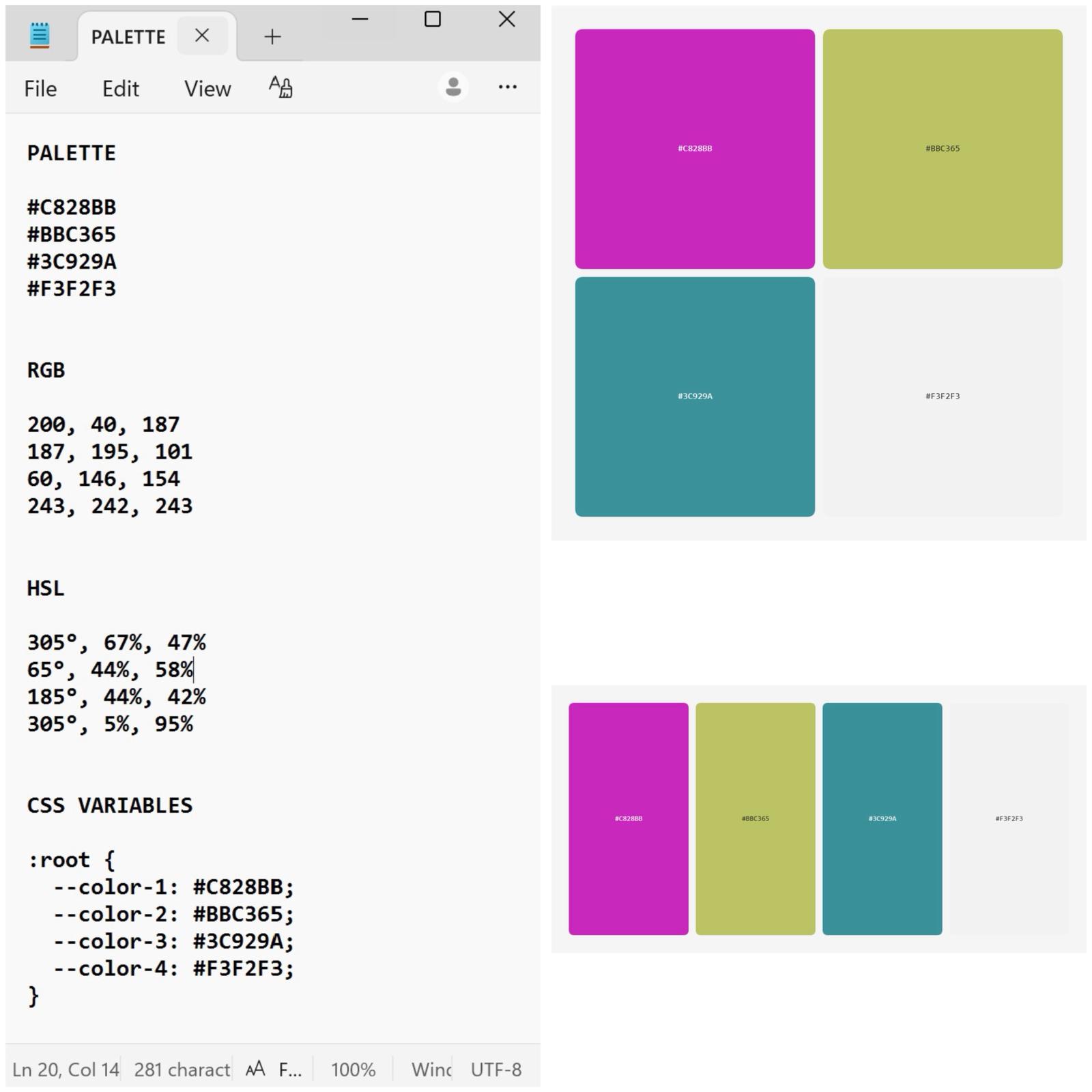
Copy "All Formats", share image, or a direct link
→ The palette is not locked into one format—it adapts to how you work.
Different outputs are designed for different needs, so you can move from idea to application without extra steps.
Visual formats
Square layout
→ A clean grid of colors for quick visual reference, presentations, or edits.
Useful when you need to see balance and relationships at a glance.
Strip layout
→ A continuous color flow for fabric selection, product design, or raw swatch comparison.
Ideal for material-based work where colors need to be viewed side by side.
Technical formats
HEX / RGB / HSL
→ Ready-to-use values for design tools and precise adjustments.
CSS Variables
→ Directly usable in development—structured and organized for implementation.
Outcome
→ One color, one palette, multiple formats all ready for visual work, material application, or code.
You can visit wheel.houseofaugustina.com to work with the demo!